 COME
COMECOME Game Login on a New Device: Check the Linked-Number Policy
For game login on a new device, check account access before changing SIMs; the illustrated COME help says a linked mobile number cannot be changed.
If you can still receive messages on the same number, keep that fact separate from the new device. If the number changed, read the bound-number help policy before assuming the account can be moved.
Read the displayed number policy
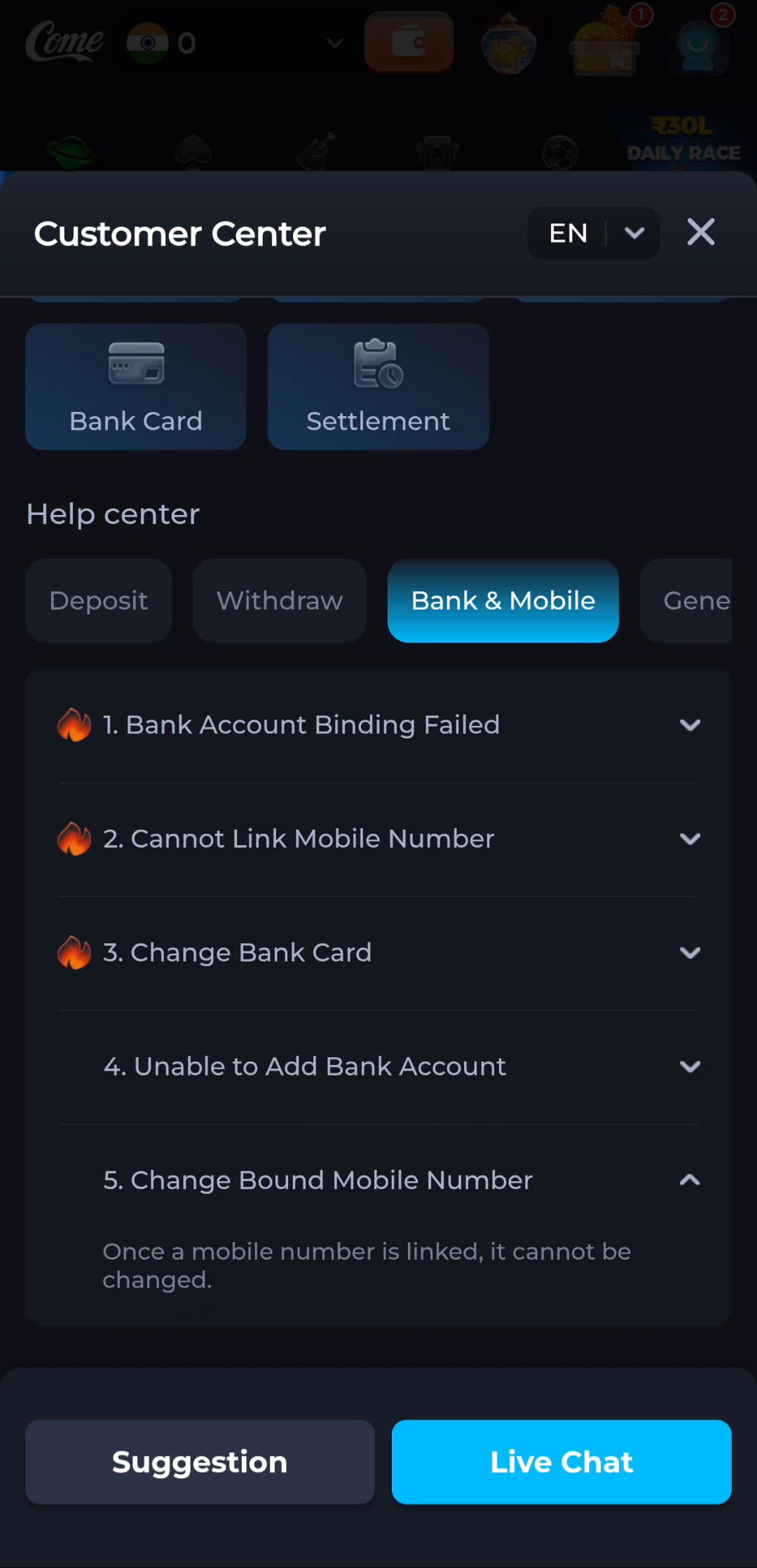
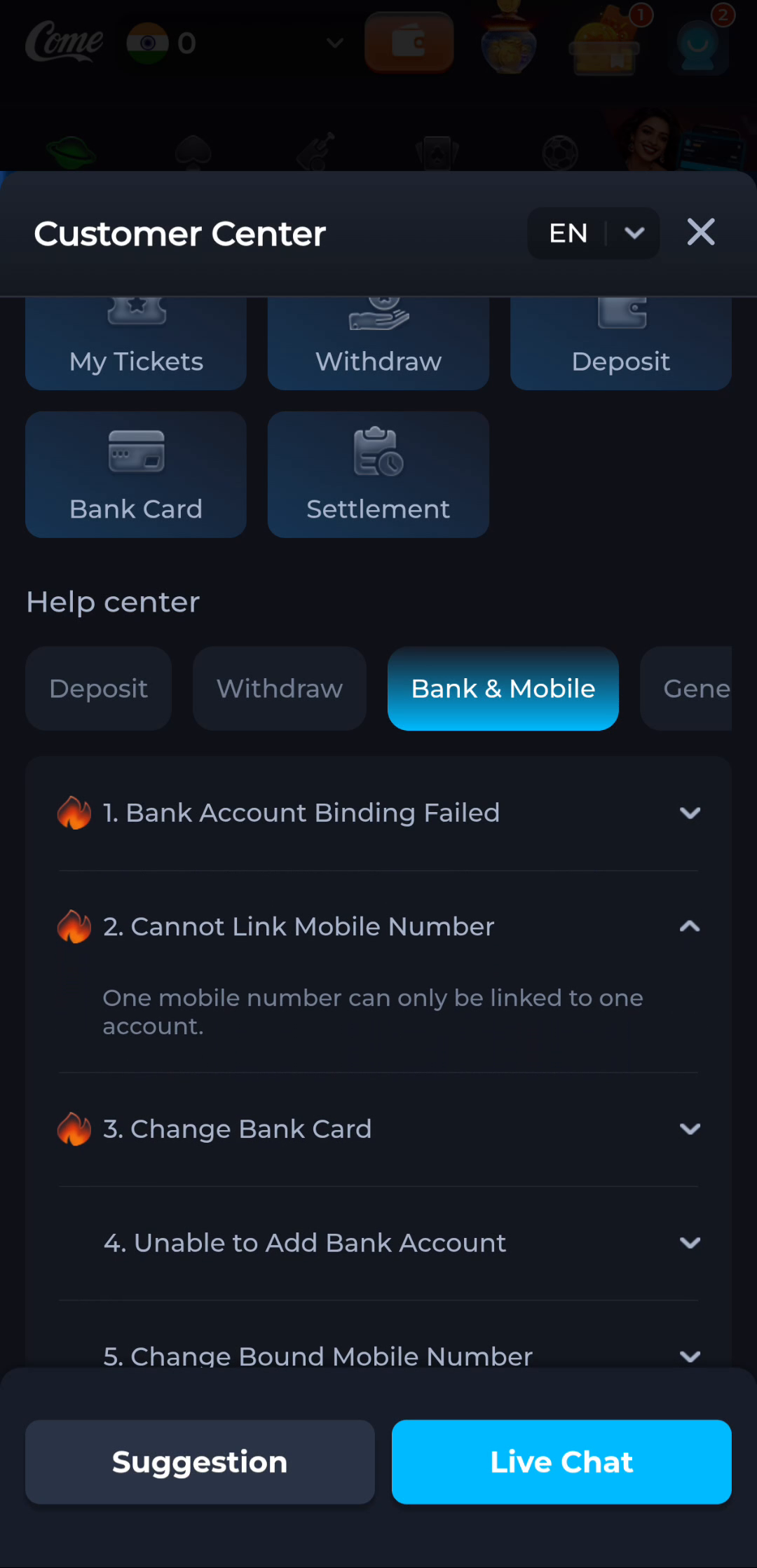
The COME help screen for Change Bound Mobile Number says that once a mobile number is linked, it cannot be changed. The Cannot Link Mobile Number topic says that one mobile number can only be linked to one account. Treat those statements as the shown help policy and read the current account instructions before taking action.
Do not assume that replacing a SIM, installing COME on another phone or editing a device contact changes the number linked to the product account. Device settings and account binding are separate records. This guide does not offer a change-number workaround.
Separate a new phone from a new number
Moving the same active SIM to another phone can preserve access to that number, subject to the carrier and device. Obtaining a different number does not automatically move an existing product account. Before switching devices, identify the existing login method and recovery destination without sharing them publicly.
If you no longer control the linked number, stop using that destination for recovery. Do not ask its new holder to forward verification codes. Use the product's private account-help route to explain the lost access and ask what, if any, supported recovery option exists.
A link error is not a password error
A message that a number is already linked concerns binding. A wrong password concerns authentication, and a missing SMS concerns delivery. Keep the exact message so the help request is routed correctly. Creating another account with the same number can repeat the binding problem.
Do not promise that customer support can replace the number. A help enquiry can clarify available options, but it is not approval of a transfer or a guarantee of recovery. Keep any existing working session available while learning what the current policy permits.
Report only what support needs
Explain whether the number is still controlled, whether the existing account opens and which error appears. Use masked details until the product's secure process calls for appropriate verification. Never share an OTP, password or payment PIN with a caller or an unsolicited chat account.
The practical outcome is a clear access situation and a supported route, or an acknowledged limitation. Reinstalling an APK cannot alter the account's binding policy.
Apply this to game login on a new device
Use the current existing-account route if you intend to return to the same account. Confirm your recovery method before switching. A different device or new installation does not itself transfer or replace the linked number.
Keep the status of the account and the status of the telephone number separate. The current help policy, not a new APK or SIM setting, determines what binding or recovery actions are available.
A practical completion check
- Read the current linked-number policy.
- Identify whether this is a device move, lost number or link error.
- Use private account help without promising a number replacement.
Questions about this task
Will a new installation replace the linked number?
No. An installation and an account binding are different things.
Can this guide guarantee number recovery?
No. The shown help says a linked number cannot be changed; use current private account help to understand available options.
A related next step
For game login on a new device, reach the intended account without confusing login, registration and installation.